
EarnCheck: Shift & Pay Tracker
Hours, Overtime & Payday Check. A free iPhone app from Honest Little Apps.
- Price
- Free
- Platform
- iPhone (iOS 18.0 or later)
- Category
- Finance
- Developer
- Honest Little Apps
- Version
- 1.1.0
- Last updated
- 2026-09-27
- Age rating
- 4+
What EarnCheck does
Keep an independent record of your shifts, estimate your gross earnings and compare your hours with your pay statement. No account, no bank login, no employer login.
Record Every Shift
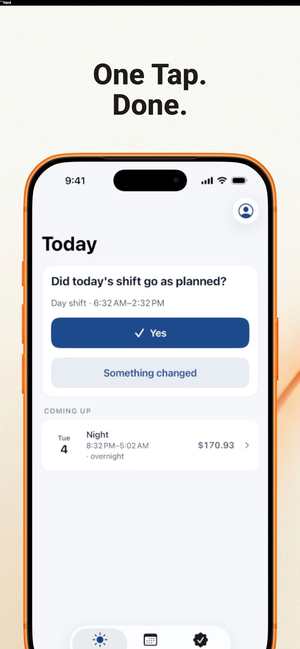
Confirm a finished shift in one tap, or adjust the start, end or unpaid break in seconds. Overnight shifts stay one shift, even when they cross midnight. Scheduled shifts are never counted until you confirm them.
Understand Your Estimated Pay
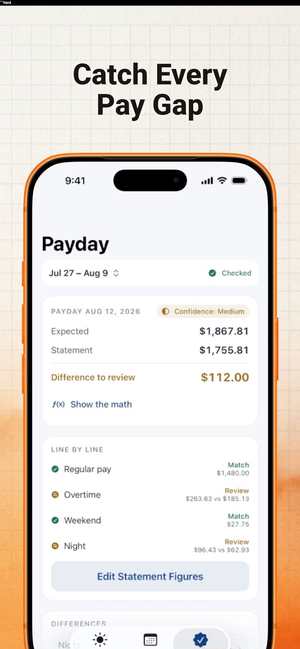
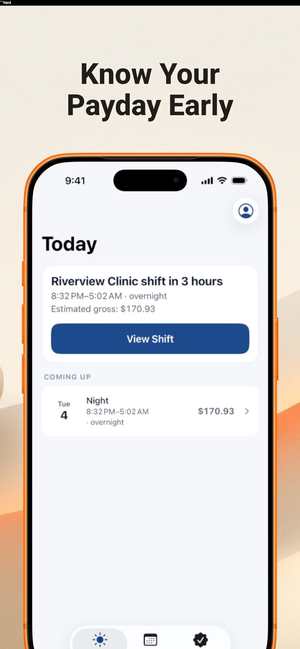
See your estimated gross pay build through the pay period. Tap Show the Math to see the exact hours, rates, overtime and premiums behind every amount.
Overtime That Follows Your Rules
Start from Ontario's 44-hour weekly rule, the U.S. federal 40-hour rule or your own agreement. Each preset links to its official source and lists its exceptions. Set your employer's real workweek, even when it differs from your pay period. Pro adds daily overtime, double time and night, weekend or holiday premiums you define.
Check Payday, Line By Line
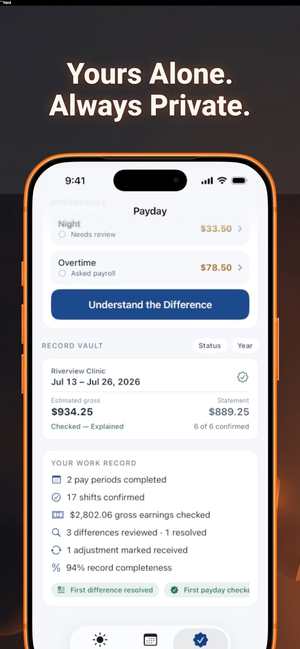
Enter the figures from your pay statement. EarnCheck compares gross with gross: regular with regular, overtime with overtime, premiums with premiums. Each line is marked Match, Difference to Review or Incomplete Information. Deductions are kept separate and never counted as missing pay.
Review Differences Calmly
See possible explanations to check first, track the status of each difference and copy an editable, neutral message for payroll. EarnCheck never contacts your employer.
Keep Your Records
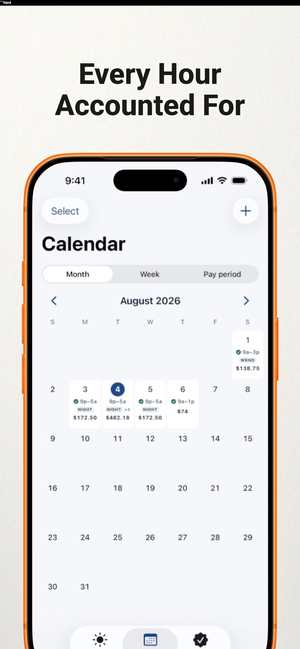
Record Vault keeps every checked pay period with notes and resolution history. The Shift Calendar shows hours and estimated amounts by day. Export PDF or CSV and make a local backup whenever you choose.
Private By Design
Your records are stored on your device. There is no account and no analytics or advertising SDK. Face ID App Lock is available. Data leaves your phone only when you export or share it yourself.
Also Included
Try a sample payday before entering anything, a Home Screen widget and Siri Shortcuts to confirm your last shift or check payday readiness.
Free And Pro
Free: one job, a complete first pay period with unlimited shifts, weekly overtime and a payday comparison. Your saved records always stay viewable. EarnCheck Pro: unlimited pay periods, multiple jobs kept separate, advanced overtime and premium rules, and full exports, backup and restore. Monthly and annual plans are available, with a 7-day free trial on the annual plan for eligible customers. Subscriptions renew automatically unless cancelled at least 24 hours before the period ends. Manage them in your Apple ID settings.
Please Note
EarnCheck estimates gross pay from the hours and rules you enter. It does not calculate taxes or deductions, is not a payroll system, and does not provide legal advice. A difference is something to review, not proof of an error. Your employer's payroll team or local labour authority can confirm what applies to you.
Free tools: https://earncheck.rork.app Terms: https://earncheck.rork.app/terms Privacy: https://earncheck.rork.app/privacy
Screenshots
Questions about EarnCheck
What is EarnCheck?
Keep an independent record of your shifts, estimate your gross earnings and compare your hours with your pay statement. No account, no bank login, no employer login.
Is EarnCheck free?
EarnCheck is listed on the App Store at: Free. Check the App Store listing for any optional in-app purchases before you download.
What do I need to use EarnCheck?
iOS 18.0 or later on iPhone. It is distributed only through the App Store.
Do I need an account for EarnCheck?
The App Store description says: No account, no bank login, no employer login. There is no account and no analytics or advertising SDK.
Is EarnCheck private?
The App Store description says: PRIVATE BY DESIGN Your records are stored on your device.
Who makes EarnCheck?
EarnCheck is made by Honest Little Apps, an independent iPhone developer. Every app is listed on the App Store under the developer name Honest Little Apps.
More in money and small business apps


Related guide: How to check your hours and overtime against your pay statement
Buyer guide: Subscription tracker, shift pay tracker and quote apps: what to check
Free printable: Free Shift Work Hours Log Printable: Weekly Timesheet to Check Your Pay